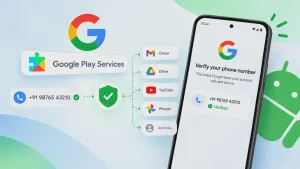
Image illustrating Google's phone number verification
Google is facing renewed privacy concerns after reports revealed that Android devices can automatically link a user's phone number to every Google account signed in on the same device. The setting, called Phone Number Verification, can affect personal accounts, work profiles and secondary accounts that users may have intentionally kept separate.
The issue gained attention in October 2026 after Android users reported receiving unexpected emails confirming that their phone numbers had been verified. According to Google's support documentation, automatic verification is enabled by default, and verified numbers can be associated with both existing and newly added Google accounts on the device.
Although Google presents phone number verification as a way to support account security and communication features, the default setting has raised questions about user consent and digital privacy. Here's how it works, why it matters and how you can disable it.
Why Google Is Linking Phone Numbers Across Accounts
Google uses phone numbers for several purposes, including account recovery, phone number sign-in, communication services and security verification. Automatically verifying a number can make these services easier to use without requiring users to complete separate verification steps for every account.
However, the process creates a potential privacy problem for people who use multiple Google accounts. Someone might maintain one account for personal communications, another for work and a third for testing or other activities.
When the same phone number is attached to all these accounts, an identifier that users may have intended to keep separate becomes shared across their Google profiles.
Google's documentation says the feature applies to current and future accounts and phone numbers on the device. This means adding another Google account or changing the phone number on a SIM can result in additional associations.
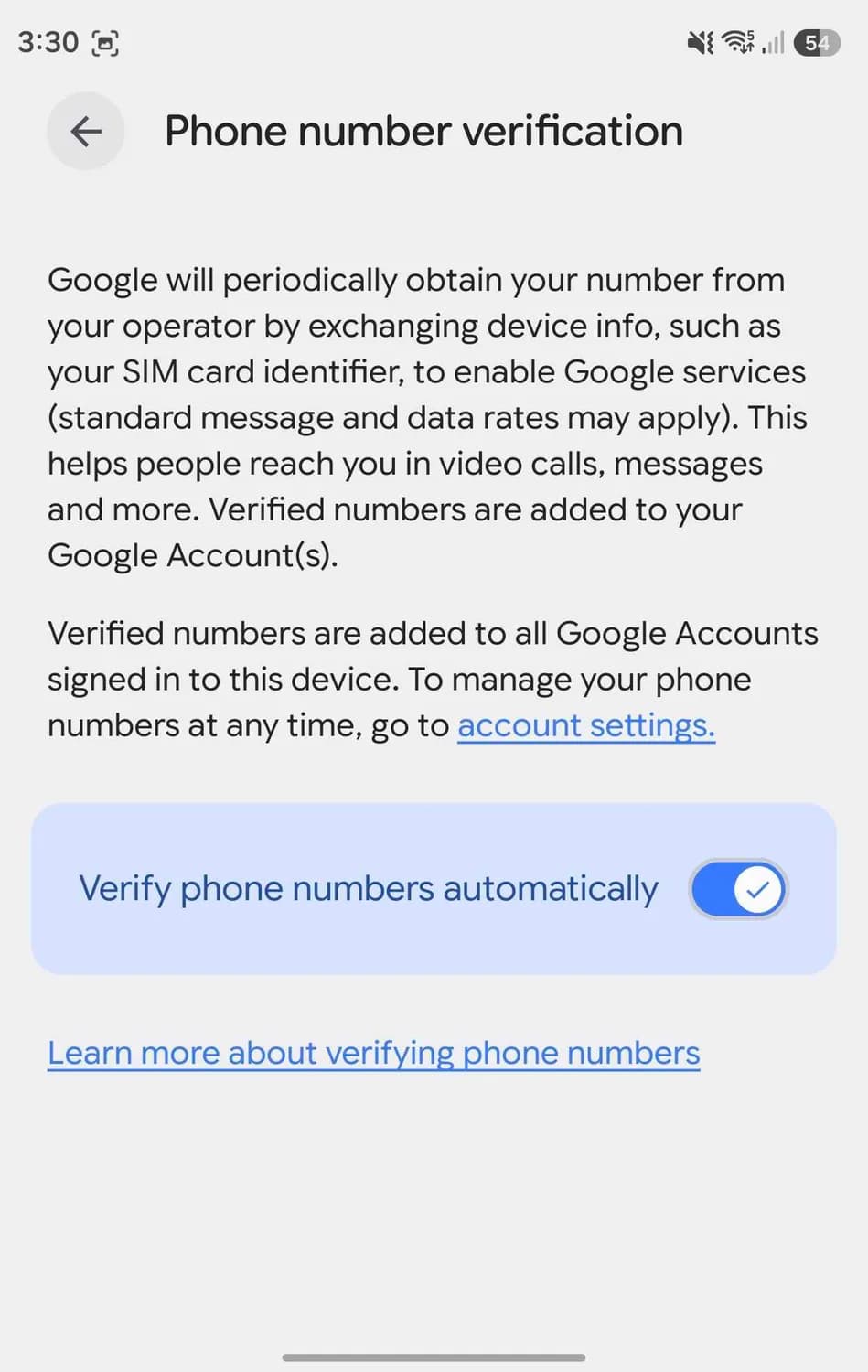
Source: Android Authority
Does Google Link All Your Accounts Together?
Phone number association does not automatically mean that Google merges your accounts or allows one account to access another account's emails, photos or documents.
Instead, the phone number becomes a common identifier associated with multiple profiles. This can undermine the separation that users expect when maintaining different accounts on the same Android phone.
The distinction matters for people who use secondary accounts for professional activities, testing applications or keeping certain online identities separate.
Google has not publicly explained the recent controversy in detail. Reporting from Android Authority and TechRadar indicates that the default behavior is causing concern because users may not realize that their number is being associated with additional accounts.
What Google Uses Your Phone Number For
Google's phone number verification feature supports several services that depend on confirming a phone number.
- Account recovery: A verified number can help users regain access to their accounts.
- Phone number sign-in: A number can help identify accounts during supported sign-in and recovery processes.
- Google Messages and RCS: Phone verification helps enable messaging features, including Rich Communication Services.
- Communication features: Verified numbers can support calls, messaging and notifications across compatible Google services.
- Quick Share and other services: Phone verification can support features that rely on identifying or contacting a device.
These functions explain why Google considers automatic verification useful. The concern is not simply that a phone number is stored, but that it can be added to multiple accounts without a separate confirmation for each one.
Google also states that it does not sell users' personal information, including phone numbers, to anyone. Nevertheless, users can reasonably want more control over which accounts contain their contact details.
How to Stop Google From Linking Your Phone Number Automatically
Android users can disable automatic phone number verification through their device settings. Menu names can vary depending on the phone manufacturer and Android version.
Follow these steps:
- Open Settings on your Android phone.
- Select Google or Google services and preferences.
- Open All services.
- Find Phone number verification under Privacy and security.
- Turn off Verify phone numbers automatically.
This should prevent the automatic verification process from continuing while the setting remains disabled.
However, switching off the feature does not automatically remove phone numbers that have already been associated with Google accounts.
How to Remove Your Phone Number From Secondary Google Accounts
If you want to keep your accounts separate, you should also review the phone number stored in each account.
Open your Google Account settings and navigate to Personal info → Contact info → Phone. Check which number is associated with that account and remove it if you no longer want it listed there.
Repeat this process for each Google account where you want to remove the number.
Before deleting a number, check whether it is used for account recovery, two-step verification or other security features. Removing it without configuring an alternative recovery method could make it harder to regain access to your account.
Also, disabling automatic verification may affect services that depend on a verified phone number, including RCS messaging and certain recovery features. Review the consequences before changing the setting.
Why This Change Has Raised Privacy Concerns
The main concern is that automatic verification changes how phone numbers are associated with accounts without requiring users to approve each association individually.
People often create separate accounts for practical reasons. A personal account may contain private communications, while a work account is used for professional activity. A separate account may be used for software development or online services.
When the same phone number appears across these accounts, the separation becomes less complete.
Some users have also reported that the automatic verification setting appeared to turn itself back on after being disabled. These reports are anecdotal, and the behavior has not been independently reproduced in every case. Checking the setting periodically is a reasonable precaution if keeping accounts separate is important to you.
The controversy highlights a broader issue in technology: a feature can be useful for convenience and security while still raising legitimate questions about how much control users should have over their personal information.
Final Thoughts
Google's automatic phone number verification feature is designed to simplify account recovery and communication services, but its default behavior has raised privacy concerns among Android users who maintain multiple Google accounts.
The feature can associate a phone number with existing and future accounts signed in on the same device. While this does not merge accounts or automatically expose their contents to one another, it can reduce the separation users expect between different profiles.
If you want to limit these associations, disable automatic phone number verification in Android settings and manually review the phone number stored in each Google account. Remember to check your recovery and messaging settings before removing a number.
Ultimately, the issue is about transparency and choice. Users should understand how their phone numbers are being used and have clear options for deciding which accounts they want to associate with that information.