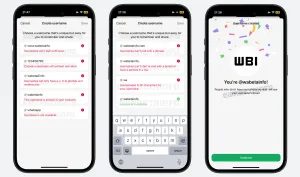
Source: WABetaInfo
After years of user demand and testing, WhatsApp is finally introducing one of its most anticipated features: usernames. This update allows users to connect, chat, and even make calls without sharing their personal phone numbers—marking a major shift in how the platform handles privacy and identity.
WhatsApp Usernames: A Major Privacy Upgrade
WhatsApp’s new username system enables users to create a unique handle (like @yourname), which can be used instead of a phone number when interacting with others. This means you no longer need to expose your personal contact details just to start a conversation.
The feature is expected to roll out globally around mid-2026, allowing messaging and calls without revealing phone numbers. Instead of displaying your number, your profile will show your username, giving you more control over how you’re identified.
How the Feature Works
With this update, users can choose a unique username that represents them on the platform. Others can search and message you using this handle rather than your number. However, your phone number is still required to create a WhatsApp account—it just stays private unless you choose to share it. Usernames will likely follow certain rules, such as being unique, containing letters, and staying within a character limit, to prevent duplication and misuse.
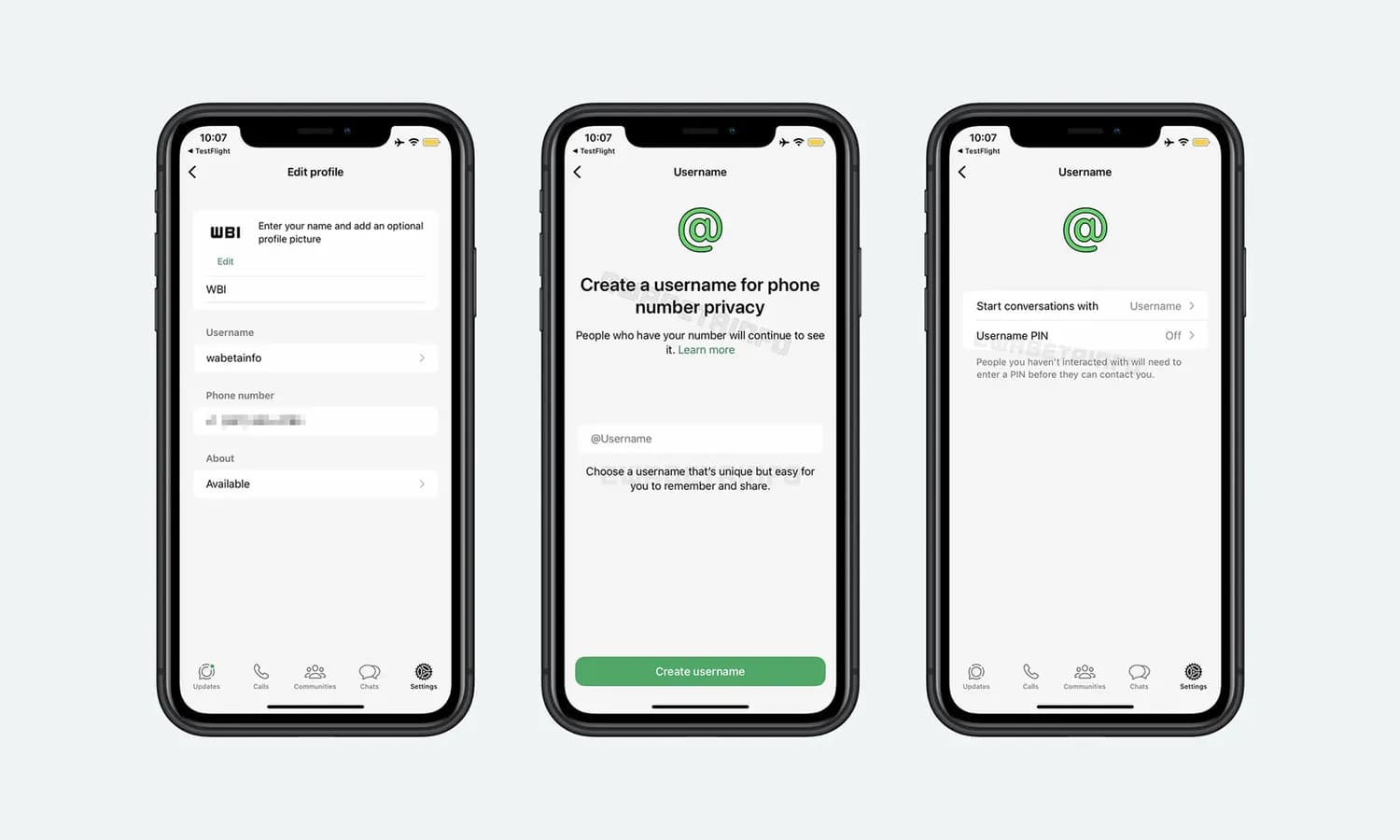
Source: WABetaInfo
How to Hide Your Phone Number on WhatsApp (Using Usernames)
Once the feature is available on your device, the process will be simple and similar to other messaging apps.
Step 1: Update WhatsApp
Make sure you’re using the latest version of WhatsApp, as the username feature is rolling out gradually and may first appear in beta versions.
Step 2: Go to Settings
Open WhatsApp and navigate to Settings → Profile.
Step 3: Create Your Username
You’ll see a new option to set a username. Choose a unique handle (for example: @umar.tech).
Make sure:
- It’s unique
- Contains at least one letter
- Doesn’t look like a website (e.g., no “www”)
Step 4: Save and Confirm
Once selected, confirm your username. This will now become your visible identity on WhatsApp.
Step 5: Share Your Username Instead of Number
You can now share your username with others instead of your phone number. People can search or message you directly using it.
Step 6 (Optional): Add Extra Security
Some versions may include a username key (PIN) for added privacy, meaning others may need both your username and code to contact you.
Why This Change Matters
For years, WhatsApp relied entirely on phone numbers, which created privacy concerns—especially when messaging strangers or joining groups. With usernames, users gain more control over their personal information. This reduces spam risks and unwanted contact, while making the app more suitable for professional and public use.
Impact on Users and Businesses
For everyday users, this means safer communication and more flexibility. You can interact with new people without exposing your number, making WhatsApp more aligned with platforms like Telegram and Signal. For businesses, usernames enable branding opportunities. Companies can use recognizable handles instead of phone numbers, making communication more professional and accessible.
Challenges and Considerations
While the feature is a major improvement, it comes with challenges. WhatsApp must ensure usernames cannot be impersonated easily and that the system prevents spam or abuse. There may also be a learning curve for users привыкed to the phone-number-based system.
Conclusion
WhatsApp’s introduction of usernames is more than just a feature—it’s a fundamental shift in digital communication. By allowing users to hide their phone numbers, the platform is prioritizing privacy, security, and modern user expectations. As the rollout continues through 2026, usernames are expected to become a core part of the WhatsApp experience, changing how billions of people connect online.