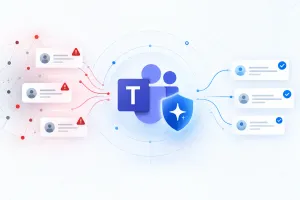
Image Source: Microsoft Team
The new feature uses AI to analyze conversation context and identify suspicious behavior that traditional security filters might miss. Instead of looking only for dangerous URLs or infected attachments, it evaluates how a conversation develops and whether messages contain signs of phishing, impersonation or deceptive requests.
For example, an unfamiliar person might contact an employee while pretending to be a member of the IT department. They could claim there is an urgent account problem and ask the employee to share a password, provide a verification code or grant remote access to a computer.
Even if the message contains no suspicious link, the request itself could indicate a social engineering attack.
Microsoft Teams will use contextual detection to identify these warning signs and display a security alert when potential phishing activity is detected. This gives recipients an opportunity to verify the sender before responding.
Microsoft Teams Will Warn Users About Suspicious Chats
When Teams identifies a potentially harmful conversation, users may see a warning directly in the chat. The notification is intended to help them recognize suspicious activity before sharing confidential information or following an attacker's instructions.
Microsoft's documentation recommends reviewing the sender's identity, email address and message content whenever a warning appears.
If a message appears to be a genuine phishing attempt, users should avoid engaging with the sender and can block and report the account through its contact card. If a trusted contact has been incorrectly flagged, users can report the warning as a false positive through the message's options menu.
The system is designed to assist users rather than replace their judgment. A warning does not automatically prove that someone is malicious, and the absence of a warning does not guarantee that a conversation is safe.
Why Traditional Phishing Protection Is Not Enough
Many conventional security tools focus on identifying malicious websites, suspicious links, dangerous attachments and known indicators of compromise. These protections remain important, but they cannot catch every social engineering attack.
Cybercriminals increasingly exploit trust instead of relying exclusively on malicious files. An attacker might impersonate a colleague, pretend to be technical support or create a sense of urgency to persuade someone to reveal confidential information.
Microsoft Teams is particularly relevant because employees regularly use it for internal discussions, customer communications, meetings and collaboration with external organizations. A fraudulent message can appear alongside legitimate workplace conversations, making it easier for an attacker to appear trustworthy.
Context-aware AI detection aims to address this gap by examining suspicious behavior within the conversation itself. It adds another layer of protection against attacks that might otherwise bypass traditional link and attachment scanning.
Microsoft Teams Phishing Detection and User Privacy
Because the feature analyzes conversation context, privacy is an important consideration for organizations and employees.
Microsoft states that the capability is used exclusively for security protection. It is not intended for advertising, employee monitoring, productivity analysis or conversation summarization.
The company also says that customer message content is not retained by this detection system for AI model training or other secondary uses. These assurances relate specifically to the new detection capability and should not be interpreted as a change to every existing Teams data-retention or compliance policy.
For organizations handling confidential information, administrators should continue reviewing their Microsoft 365 security, privacy and retention settings alongside their internal policies.
The goal is to detect potentially harmful behavior while keeping the feature focused on protecting users from phishing and social engineering.
When Will Microsoft Teams AI Phishing Detection Roll Out?
Microsoft's rollout plan calls for the feature to begin reaching Targeted Release users in early November 2026, with that phase expected to finish by mid-November.
Worldwide general availability is planned to begin in early December and finish by mid-December 2026. These dates are rollout targets, so availability may vary between organizations and users.
The feature is planned for Microsoft Teams on Windows desktop, Mac, the web, Android and iOS. For most users, the primary focus will be one-on-one and group conversations involving first-time external contacts.
Microsoft has also described additional protection for Teams mobile users in China, where detection may extend to certain conversations within the same organization.
During initial quality validation, the system may operate in the background without displaying warnings. As a result, users should not expect every suspicious conversation to trigger an immediate alert during the early rollout.
Do Microsoft Teams Administrators Need to Enable the Feature?
Microsoft says administrators will not need to perform additional configuration to enable the new phishing detection capability.
Nevertheless, IT teams should inform employees about the new warnings and remind them how to respond to suspicious messages. Organizations may also want to review their existing policies for communication with unfamiliar external contacts.
Employees should be particularly careful when someone unexpectedly requests passwords, authentication codes, financial details, confidential documents or remote access to a computer.
If a request appears unusual, verify it through a separate, trusted communication channel rather than relying on the contact details provided in the suspicious message.
These practices remain important because AI detection can make mistakes, and attackers may change their techniques to avoid automated security systems.
Final Thoughts
Microsoft Teams' AI-powered phishing detection is designed to identify scams that go beyond suspicious links and attachments. By analyzing conversation context, the feature aims to recognize impersonation, deceptive requests and social engineering attempts before users share sensitive information.
The planned rollout in November and December 2026 will bring the protection to eligible Teams users across desktop, mobile and web platforms, without requiring administrators to enable it manually.
Although the new feature adds a valuable layer of security, employees should continue verifying unexpected requests and reporting suspicious contacts. AI warnings can help users make better decisions, but they cannot eliminate every phishing threat.
For organizations that rely on Microsoft Teams for daily communication, the update represents another step toward stronger protection against increasingly sophisticated workplace scams.