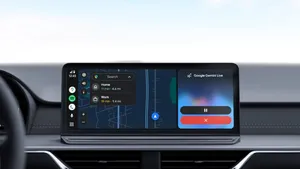
Gemini in Android Auto. Source: Winbuzzer
Google is making driving more convenient by upgrading Gemini on Android Auto with Personal Intelligence, a feature that can retrieve information from connected Google apps. Drivers can now ask questions about flight details, find appointments and navigate to places without manually searching through emails, calendars or saved locations.
Announced on October 20, 2026, the update brings personalized AI assistance to Android Auto, allowing Gemini to use information from Gmail, Google Calendar, Google Photos, Google Maps, YouTube and Search, provided users grant permission. The feature is rolling out gradually, with availability depending on account eligibility and region.
Gemini on Android Auto Can Check Flight Details
One of the most useful additions is the ability to retrieve flight information while driving. Instead of opening Gmail to find a booking confirmation and then searching separately for flight updates, drivers can ask Gemini questions such as, "What's my flight gate, and is my flight on time?"
Gemini can use information from the user's connected email to identify the flight and provide relevant details. This could make airport journeys easier, particularly for travelers who need to check departure information while on the road.
The feature is designed for hands-free interaction, helping drivers access information through natural voice commands instead of navigating multiple applications. Travelers should still verify important flight updates with their airline, since AI responses may not always be complete or current.
Android Auto Can Find Appointments Through Google Calendar
Gemini can also help drivers navigate to appointments without requiring them to remember an address. For example, users can say, "Take me to my doctor's appointment," and Gemini can use information from connected Google services to identify the destination.
This capability could be useful for medical appointments, business meetings and other calendar events. Rather than searching for an appointment in Google Calendar and copying its address into a navigation app, drivers can make a natural-language request.
The feature illustrates how connected AI services can combine information across applications to simplify everyday tasks. Users will still need to check the suggested destination when necessary, especially if calendar entries contain outdated or incomplete information.
Which Google Apps Can Gemini Access?
Personal Intelligence can connect Gemini to several Google services, allowing it to retrieve details and provide answers tailored to the user's information.
- Gmail: Find flight confirmations, booking details and relevant emails.
- Google Calendar: Identify appointments and scheduled events.
- Google Photos: Locate places or details from previously captured photographs.
- Google Maps: Use saved locations and help with navigation.
- Google Search and YouTube: Draw on connected information and preferences where relevant.
For example, a driver can ask Gemini to find a car wash shown in a photograph taken the previous week and navigate to that location. Users can also request restaurant recommendations along their route based on preferences they have previously shared.
These capabilities aim to reduce the need to switch between applications while driving.
How to Enable Personal Intelligence on Android Auto
Personal Intelligence is optional, and Google apps are not connected until users enable the feature. Anyone who has already activated Personal Intelligence in the Gemini app can have their preferences carry over to Android Auto.
To enable or review the settings:
- Open the Gemini app on your phone.
- Open your profile menu and select Personal Intelligence.
- Choose Connected Apps.
- Enable the Google services you want Gemini to access.
- Connect your phone to Android Auto and try a voice request.
The exact menu options may vary depending on the app version and account eligibility. Users can return to the settings to disconnect services or turn off Personal Intelligence whenever they choose.
Without the feature, Android Auto continues to support its standard functions, including navigation, calls, music and general questions.
Google Highlights Privacy Controls for Drivers
Because Personal Intelligence can use personal emails, calendar entries and photographs, privacy is an important consideration. Google says users must opt in before their apps are connected, and they can disable access through Gemini settings.
The feature is currently available to eligible personal Google accounts belonging to users aged 18 or older. Google excludes Workspace business, enterprise and education accounts, as well as the European Economic Area, Switzerland, the United Kingdom and Nigeria from the current rollout.
Google has also said that vehicles running its built-in automotive software will provide personalized responses only when the user's phone is connected to the car.
Drivers should consider which apps they connect and remember that spoken responses may be audible to passengers. Checking privacy settings before enabling access can help users decide what information they are comfortable making available.
When Will Personal Intelligence Arrive in More Cars?
Google began rolling out Personal Intelligence to Android Auto on October 20, 2026. The feature is expanding gradually, so eligible users may not see it immediately.
Vehicles with Google built-in, which run Google's software directly rather than relying on a connected phone for Android Auto, are expected to receive the feature in the coming months.
Google has not provided a single date for availability across every vehicle, account or region. Access will depend on the rollout and eligibility requirements.
Final Thoughts
Google's Personal Intelligence update makes Gemini on Android Auto more useful by connecting voice assistance with information from everyday Google apps. Drivers can ask about flight details, navigate to appointments and find previously photographed locations without manually searching through multiple applications.
The feature could save time for commuters and travelers, but it requires users to opt in and grant access to the services they want to connect. Its gradual rollout also means that availability will vary.
For eligible users, Personal Intelligence represents another step toward more context-aware in-car assistance. As the feature reaches more vehicles, its usefulness will depend on how accurately Gemini retrieves information and how reliably it handles everyday requests.